
How to Use AI for Higher Social Media Engagement (Without Losing Your Voice)
How to Use AI for Higher Social Media Engagement (Without Losing Your Voice)
AI in social media is most powerful when it helps you respond faster, at scale, in a human way. The goal isn’t more posts, it’s better interactions.
This guide shows how to use AI social media tools like SocialDesk to increase engagement with automated replies, smart scheduling, and analytics.
1. Let AI Handle Timing So You Can Focus on Conversations
Posting at the right time matters, but figuring that out manually across Instagram, TikTok, LinkedIn, X, Facebook, and YouTube is a time sink.
AI-powered scheduling in SocialDesk analyzes when your audience is most active, then suggests or auto-selects optimal time slots.
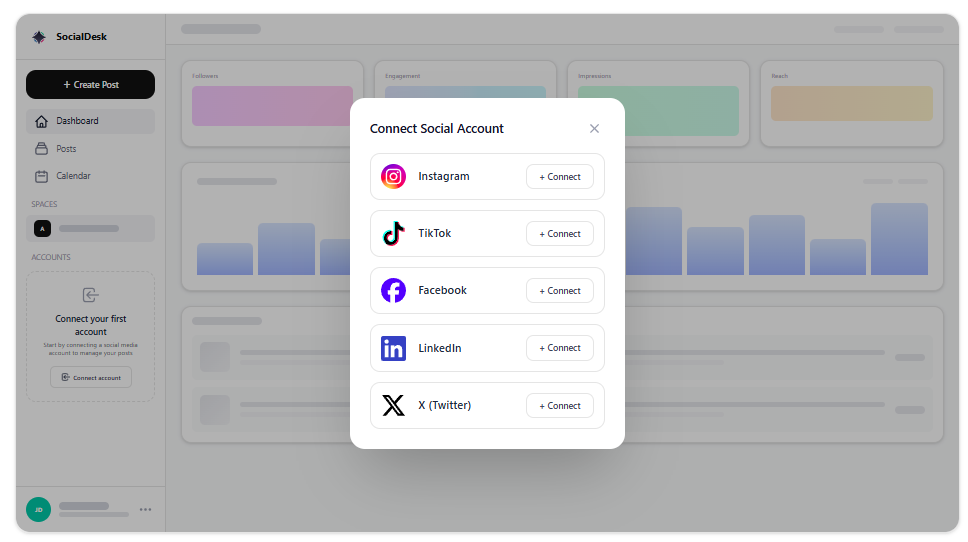
- Connect all your accounts to SocialDesk.
- Create your posts as usual.
- Turn on AI-driven scheduling so each post is automatically queued for high-engagement windows.
You stop guessing, and your posts get more initial reach, which improves likes, comments, and saves.
2. Use Automated Replies for Fast, On-Brand Responses
Manual community management across multiple platforms is hard to scale. That’s where AI-powered automated replies help.
Set up auto-replies for:
- Common DMs (pricing, opening hours, shipping, services)
- FAQ-style comments on posts
- First-touch replies to new followers or leads
In SocialDesk, you can:
- Define reply templates in your brand tone.
- Use AI to rewrite variations so replies don’t feel copy-pasted.
- Apply rules like: "If comment contains ‘price’, send this template and assign to sales".
The unified inbox groups all comments and DMs from every platform, so you see where AI replied and where you should jump in personally.
3. Train AI on Your Brand Voice (So It Doesn’t Sound Like a Bot)
AI is only as good as the examples you feed it. Spend an hour creating a mini style guide inside your tool:
- 5–10 example replies you’ve written that felt "on brand"
- Phrases you like to use
- Phrases or emojis you never want used
Then use SocialDesk’s AI caption generation and reply suggestions as a starting point, not the final word. Edit a few outputs, and over time you’ll see suggestions getting closer to how you actually speak.
4. Let Analytics Tell You What Actually Drives Engagement
Guessing what works wastes time. Use analytics to see which AI-assisted tactics move the needle.
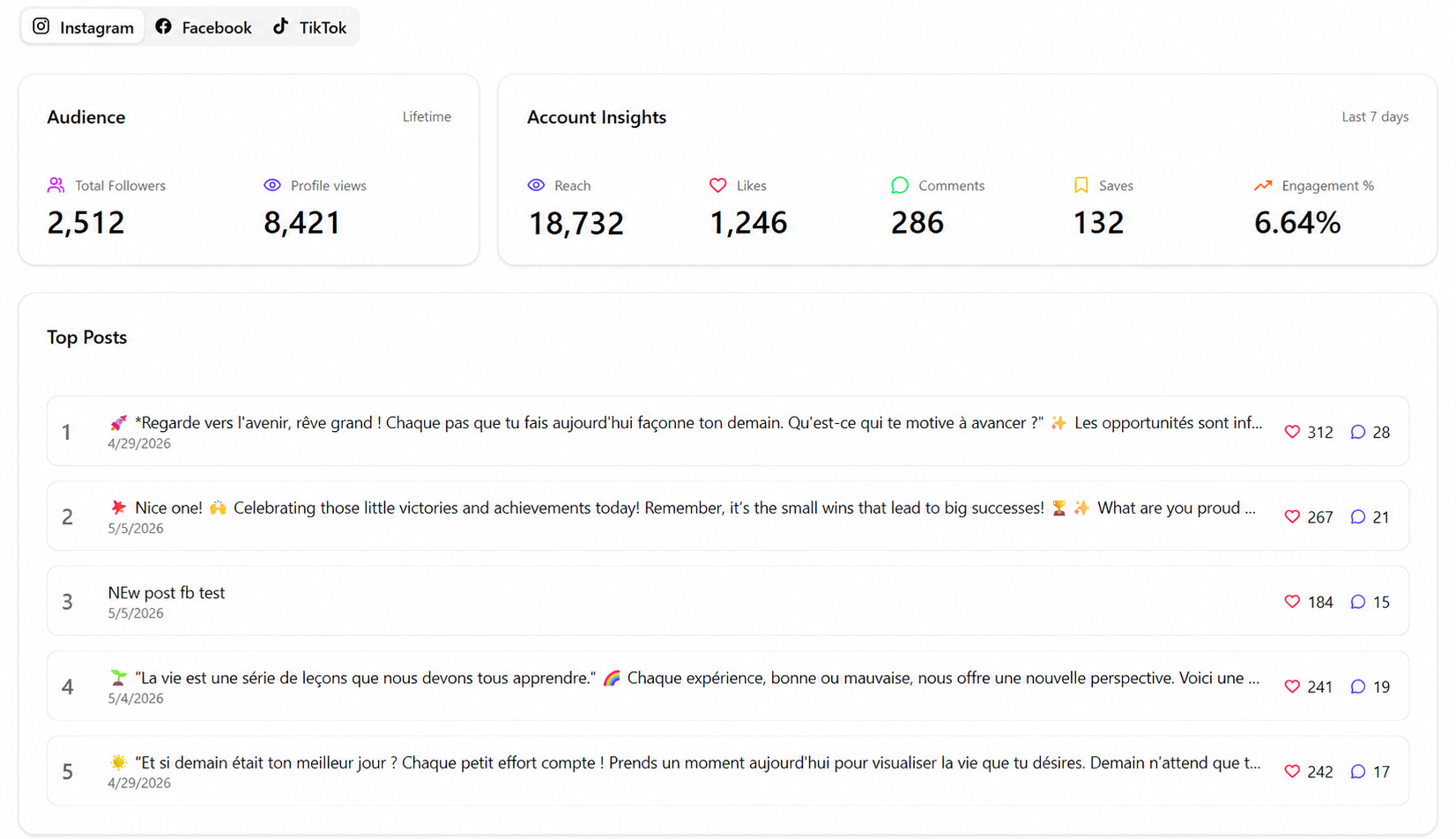
Inside SocialDesk’s analytics dashboard, track:
- Posts scheduled by AI vs manually picked times
- Posts with AI-generated captions vs fully manual
- Response times before and after automated replies
If AI-scheduled posts are getting higher reach on Instagram but flat on LinkedIn, adjust your strategy per platform instead of applying one rule everywhere.
5. Start Small: One Automation at a Time
You don’t need a full AI overhaul on day one. A simple rollout plan:
- Turn on AI scheduling for 1–2 platforms.
- Set automated replies just for FAQs in your DMs.
- Use AI caption suggestions only for lower-priority posts.
As your team gains confidence, layer in bulk scheduling, post recycling, and more advanced auto-reply rules. If you want to explore workflows or integrations, check the SocialDesk developers page.
Done right, AI becomes the quiet assistant that handles routine engagement while you focus on the comments and conversations that actually build relationships.