


The Facebook Page scheduler that also answers comments and Messenger
Schedule text, link, photo and video posts and Stories to your Pages, publish them automatically, and reply to comments and Messenger messages from one inbox, with AI drafting the answers.
Every Facebook Page format, scheduled and auto-published
Write your post, add photos or a video, choose a time. SocialDesk publishes it to your Page through the official Facebook API.


Text & link posts
Post an update with no media at all, or paste a link and Facebook adds its preview.
- Up to 63,206 characters
- Link preview built by Facebook
- Automatic first comment



 +7
Photo posts
Share one photo or several in a single post, with your caption.
- Up to 10 photos per post
- JPG, PNG or GIF, up to 4 MB
- Any aspect ratio

Videos
Upload a video to your Page and pick the frame shown as its thumbnail.
- MP4 or MOV, up to 4 GB
- Up to 240 minutes
- Choose the thumbnail frame

Stories
Schedule photo and video Stories for your Page, ready to go out at the time you choose.
- One photo or video per Story
- 9:16 (1080 × 1920)
- Video up to 120 seconds
Facebook post limits
What a Facebook Page post can hold, and how SocialDesk keeps you inside it.
- Text
- 63,206 characters
- Live counter; warning before publishing if it's longer
- Text-only posts
- Allowed
- Publish an update without any photo or video
- Links
- Preview built by Facebook from the link
- Paste the link in your text
- Photos
- Up to 10 per post
- Warning before publishing above 10
- Photo format
- JPG, PNG or GIF, up to 4 MB
- Warning before publishing if a file doesn't fit
- Video
- MP4 or MOV, up to 4 GB and 240 minutes
- Warning before publishing if a file doesn't fit
- Video thumbnail
- Any frame of the video
- Pick the frame in the composer
- Photos and video together
- Not in the same post
- Post them separately
- Stories
- One photo or video, 9:16 (1080 × 1920), video up to 120 s, no caption
- Story mode in the composer, scheduled like any post
- First comment
- 8,000 characters
- Posted automatically right after your post
Limits are the ones SocialDesk checks before publishing; Facebook's own rules can change. SocialDesk publishes to Facebook Pages, not to personal profiles or Groups.
Answer every comment and Messenger message from one inbox
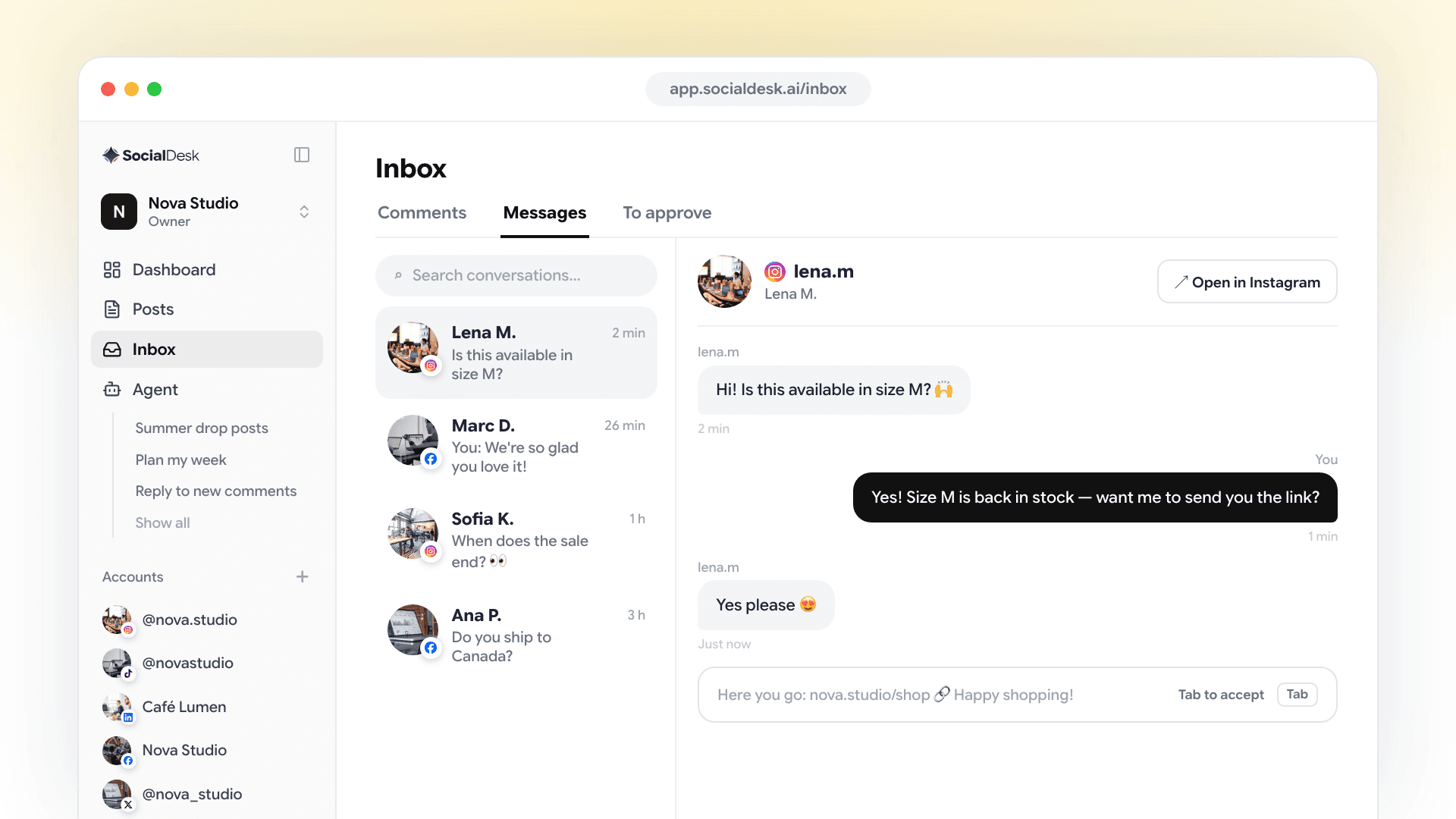
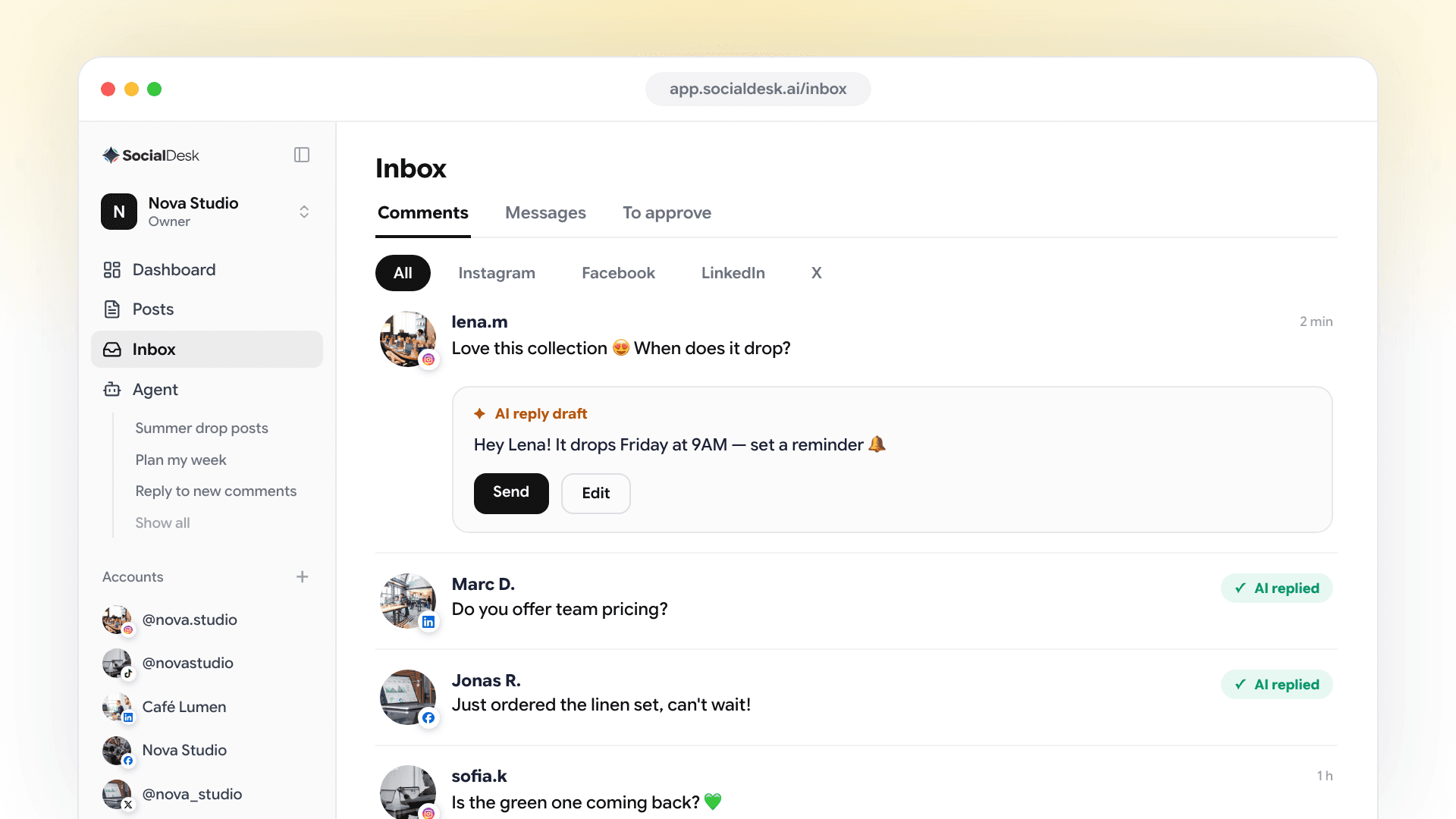
Your Page's comments and Messenger conversations land next to your other accounts, and AI can answer them for you or draft replies you approve.
Reply to or delete comments
Handle the comments on your Page's posts without opening Facebook.
Answer Messenger messages
Read every conversation, including the photos and files people send, and reply from SocialDesk.
AI auto-replies, or drafts you approve
Let AI answer common comments and messages automatically, or review its drafts before they're sent.

More tools for your Facebook Pages
Everything around the post: captions, planning and analytics.
AI captions
Write a post in seconds with AI, then edit it so it sounds like your brand.
Automatic first comment
Add a link or extra details in the first comment. SocialDesk posts it right after your post.
Recurring posts
Repeat evergreen posts on a schedule, like a weekly offer or opening hours reminder.
Calendar with drag & drop
See your week or month, drag a post to a new day, and edit anything before it goes out.
Facebook Page analytics
Track followers, reach, post engagements and page views, plus reactions, comments and shares on each post.
Several Pages & a team
Connect several Facebook Pages, group them in spaces and invite your teammates.
How to connect your Facebook Page


Click Connect account
In SocialDesk, click Connect account and choose Facebook.
Log in with Facebook
Sign in with the Facebook account that manages your Page and allow SocialDesk to publish, manage comments and messages, and read insights.
Pick your Pages
Click Connect next to each Page you want, then Continue. Their recent posts are imported, ready to schedule next to them.
Facebook scheduling FAQ
Can SocialDesk publish to my Facebook Page automatically?
Yes. Text, link, photo and video posts and Stories are published to your Page through the official Facebook API at the time you choose.
Can I post to a personal profile or a Group?
No. Facebook only lets apps like SocialDesk publish to Pages, so SocialDesk works with the Pages you manage.
Can I schedule Facebook Stories and videos?
Yes. Switch the composer to Story mode for a photo or video Story, or add a video to a regular post and pick its thumbnail frame.
How many photos can a Facebook post have?
Up to 10 photos in one post. Photos and a video can't be mixed in the same post, so share them as separate posts.
Can I manage comments and Messenger messages?
Yes. The inbox shows your Page's comments and Messenger conversations. You can reply to or delete comments, answer messages, and let AI reply automatically or draft replies for you to approve.
Can I manage several Facebook Pages?
Yes. Pick as many Pages as you need when you connect, and group them in separate spaces if you work for several brands.
Is there a free trial?
Yes. Every plan starts with a 7-day free trial, no credit card required.
Explore more
Put your Facebook Pages on autopilot with SocialDesk
Schedule your posts and answer every message from one place. Try it free for 7 days, no card required.
Start free trial