


The TikTok scheduler that posts for you, with every TikTok setting
Schedule videos and photo carousels, choose who can see each post and whether people can comment, Duet or Stitch, and see which videos work in your analytics.
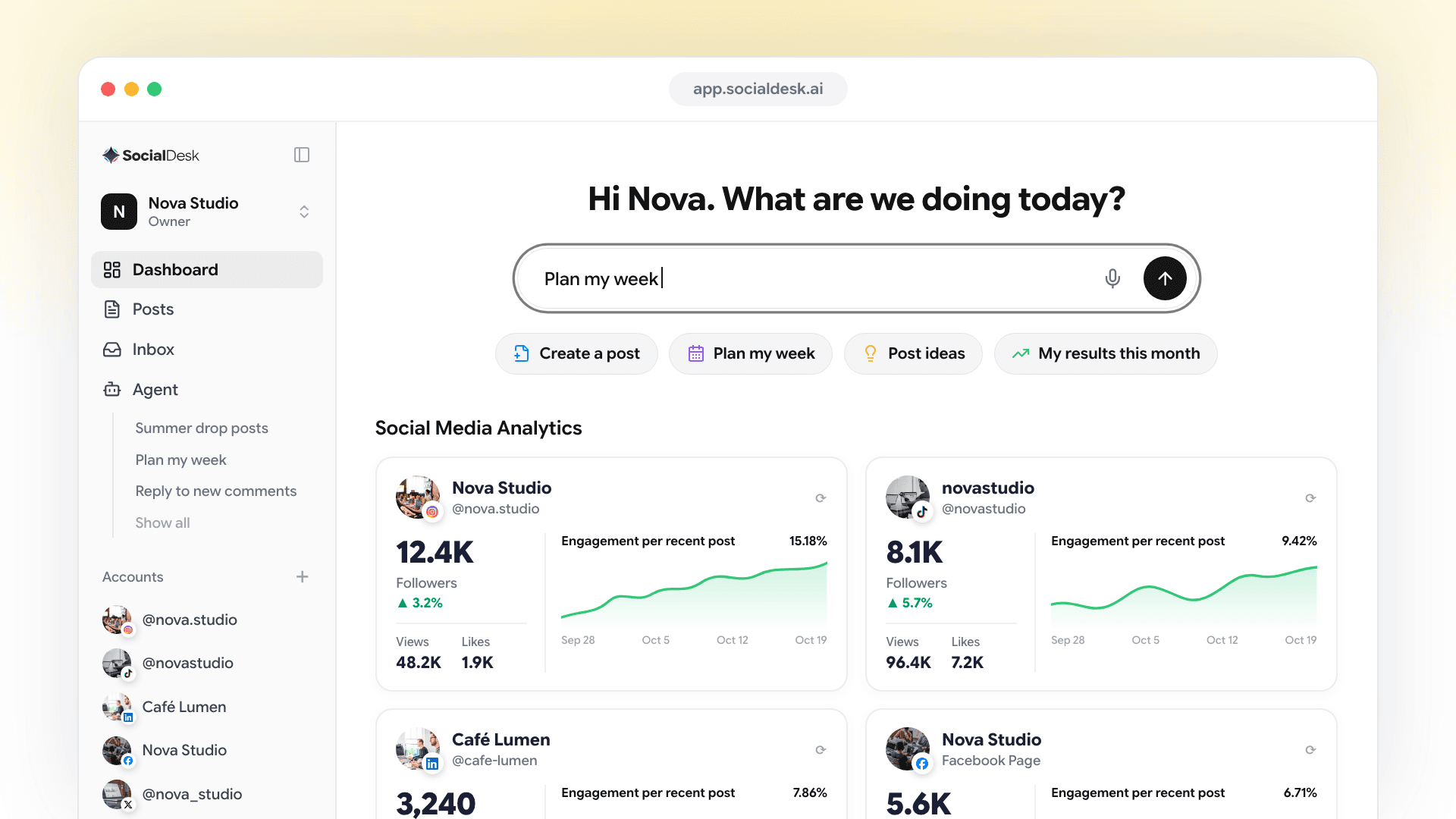
Videos and photo carousels, published for you
Add your video or photos, write a caption, choose a time. SocialDesk publishes it straight to your TikTok profile through the official TikTok API.

Videos
Upload a vertical video and pick the frame TikTok shows as its cover.
- MP4, MOV or WebM, up to 4 GB
- Up to 10 minutes
- 9:16 vertical, 1080 × 1920

Photo carousels
Post a set of photos people swipe through, with your caption. TikTok adds background music automatically.
- Up to 35 photos
- JPG, PNG or WebP, up to 20 MB
- One-click fit to 1080 × 1920
Who can view
Every TikTok setting
Choose who can see each post and whether people can comment, Duet or Stitch, like in the TikTok app.
- Public, Friends, Followers or Only you
- Comments, Duet and Stitch on or off
- Promotional content and paid partnership labels
TikTok video sizes and limits
The rules TikTok applies to every post, and how SocialDesk keeps you inside them.
- Caption
- 2,200 characters
- Live counter; warning before publishing if it's longer
- Video length
- Up to 10 minutes (your account may allow less)
- Longer videos are stopped before publishing; your account's own limit is shown
- Video format
- MP4, MOV or WebM, up to 4 GB
- Warning before publishing if a file doesn't fit
- Video size
- 9:16 vertical, 1080 × 1920
- Pick the cover frame in the composer
- Photo carousel
- Up to 35 photos
- Warning before publishing above 35
- Photo format
- JPG, PNG or WebP, up to 20 MB
- Warning before publishing if a file doesn't fit
- Photo aspect ratio
- 9:16 to 1:1
- One-click fix fits photos to 1080 × 1920 without cropping
- Privacy
- Public, Friends, Followers or Only you
- You choose for every post before it can be scheduled
- Interactions
- Comments, Duet and Stitch
- Toggles in the composer; options turned off on your account are greyed out
- Branded content
- Promotional content or Paid partnership label
- Disclosure toggles; a paid partnership can't be set to Only you
Limits come from TikTok's publishing rules and can change. The privacy and interaction options you see come from your own TikTok account.
See what works on TikTok
SocialDesk reads your TikTok numbers and keeps them up to date, so you know which videos land.
Account analytics
Followers, views, likes and engagement rate, based on your latest videos.
Numbers for every video
Views, likes, comments and shares for each post.
Updated every hour
New videos and fresh counts sync on their own, and your recent videos are imported when you connect.

@yourbrand
TikTok
8.1K
Followers
96.4K
Views
7.2K
Likes
9.4%
Engagement
Latest video
12.3K
Views
1.1K
Likes
86
Comments
41
Shares
More tools for your TikTok
Everything around the video: captions, planning and posting everywhere at once.
AI captions & hashtags
Write a short, punchy caption with hashtags in seconds, then edit it so it sounds like you.
Calendar with drag & drop
See your week or month, drag a post to a new day, and edit anything before it goes out.
Recurring posts
Repeat a post on a schedule. Its TikTok privacy and interaction settings are kept every time.
Post to several networks at once
Send the same video to TikTok, Instagram and your other accounts from one composer.
One-click fit for photos
Photos in the wrong shape are fitted to 1080 × 1920 in one click, without cropping.
Several accounts & a team
Connect several TikTok accounts, group them in spaces and invite your teammates.
How to connect your TikTok


Click Connect account
In SocialDesk, click Connect account and choose TikTok.
Log in and authorize
Sign in with TikTok and allow SocialDesk to read your profile, stats and videos, and to publish for you.
You're ready
Your account appears in SocialDesk with its recent public videos, ready to schedule.
TikTok scheduling FAQ
Can SocialDesk publish to TikTok automatically?
Yes. Videos and photo carousels are published straight to your TikTok profile through the official TikTok API at the time you choose. There's nothing to finish in the TikTok app.
What size should a TikTok video be?
Vertical 9:16, ideally 1080 × 1920. SocialDesk accepts MP4, MOV and WebM files up to 4 GB and videos up to 10 minutes; your TikTok account may allow less, and SocialDesk shows your own limit.
Can I schedule TikTok photo carousels?
Yes. Add up to 35 JPG, PNG or WebP photos (up to 20 MB each). If a photo isn't the right shape, one click fits it to 1080 × 1920 without cropping.
Can I choose who sees my TikTok post?
Yes. For every post you pick Public, Friends, Followers or Only you, and turn comments, Duet and Stitch on or off. The options come from your TikTok account, like in the TikTok app.
Can I reply to TikTok comments in SocialDesk?
No. TikTok doesn't let apps like SocialDesk read or answer comments and messages, so you reply in the TikTok app. Comments from Instagram, Facebook, LinkedIn, X and Threads are in the SocialDesk inbox.
Is there a free trial?
Yes. Every plan starts with a 7-day free trial, no credit card required.
Explore more
Put your TikTok on autopilot with SocialDesk
Schedule your videos and photo carousels and keep an eye on your numbers. Try it free for 7 days, no card required.
Start free trial