


The Twitter scheduler for X, with your replies and DMs in one inbox
Write and schedule tweets with photos, GIFs or videos, auto-post them on time, and handle replies and direct messages from one inbox, next to your other accounts.
Tweets of every kind, scheduled and auto-posted
Write your tweet, add media if you like, choose a time. SocialDesk posts it through the official X API.

Text tweets
Post a thought, an announcement or a link with nothing else attached.
- Up to 280 characters
- Counter in the composer
- Links in your text




Photos & GIFs
Add up to four photos or a GIF to your tweet.
- Up to 4 per tweet
- JPG, PNG, GIF or WebP, up to 5 MB
- 1:1 to 16:9

Videos
Attach a video to your tweet; SocialDesk waits for X to finish processing it before posting.
- MP4 or MOV, up to 512 MB
- Up to 2 minutes 20 seconds
- 1:1 to 16:9
X (Twitter) post limits
The rules X applies to every tweet, and how SocialDesk keeps you inside them.
- Text
- 280 characters
- Live counter; a longer tweet is stopped before posting
- Media-only tweets
- Text is needed with every tweet
- Checked before posting
- Media
- Up to 4 per tweet
- More than 4 is stopped before posting
- Photo format
- JPG, PNG, GIF or WebP, up to 5 MB
- Warning before posting if a file doesn't fit
- Video format
- MP4 or MOV, up to 512 MB
- Warning before posting if a file doesn't fit
- Video length
- Up to 2 minutes 20 seconds
- Trim longer videos before adding them
- Aspect ratio
- 1:1 to 16:9
- Warning before posting if it doesn't fit
Limits come from X's publishing rules and can change. Posting to X is included in every paid plan and in the 7-day trial.
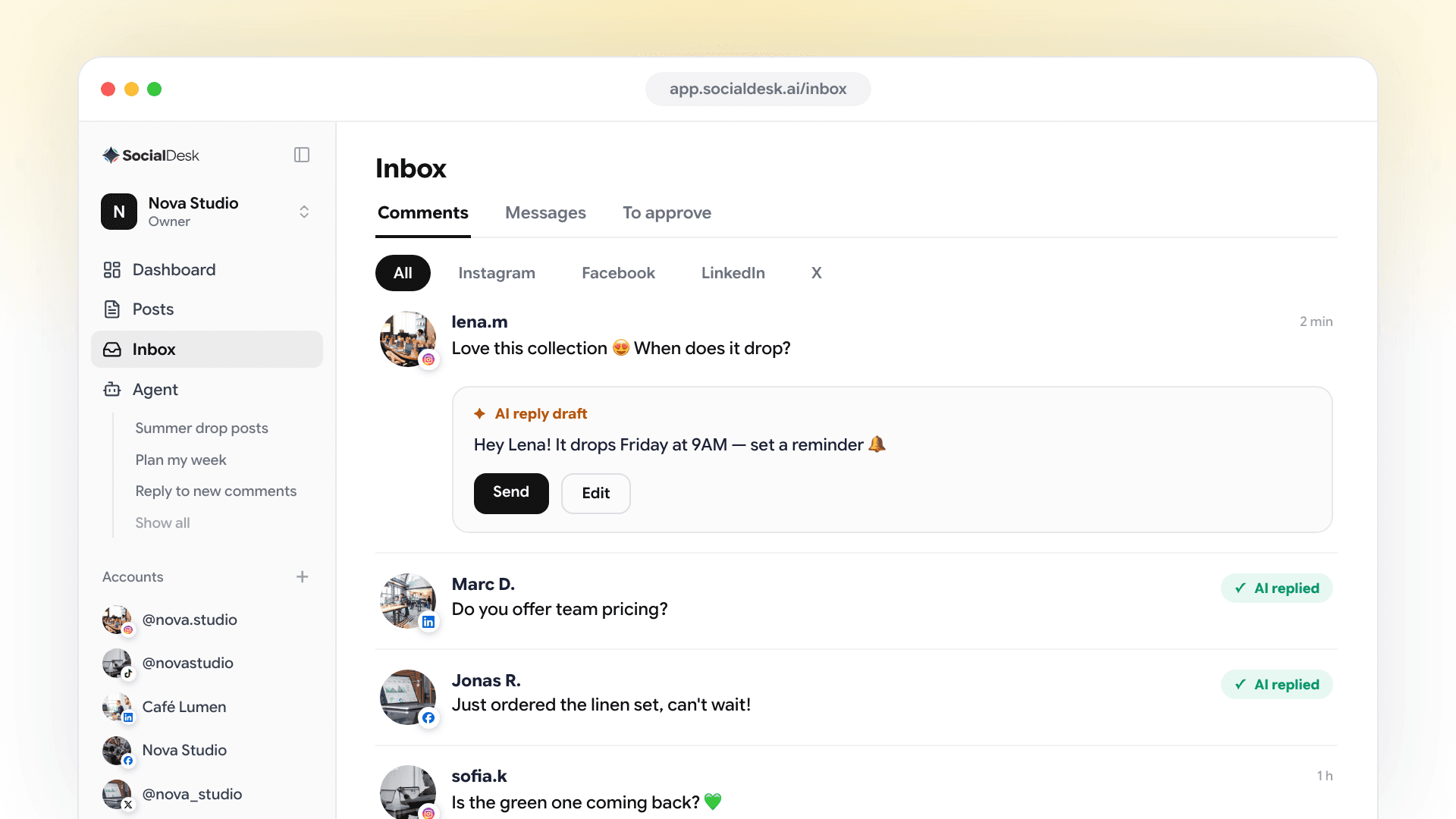
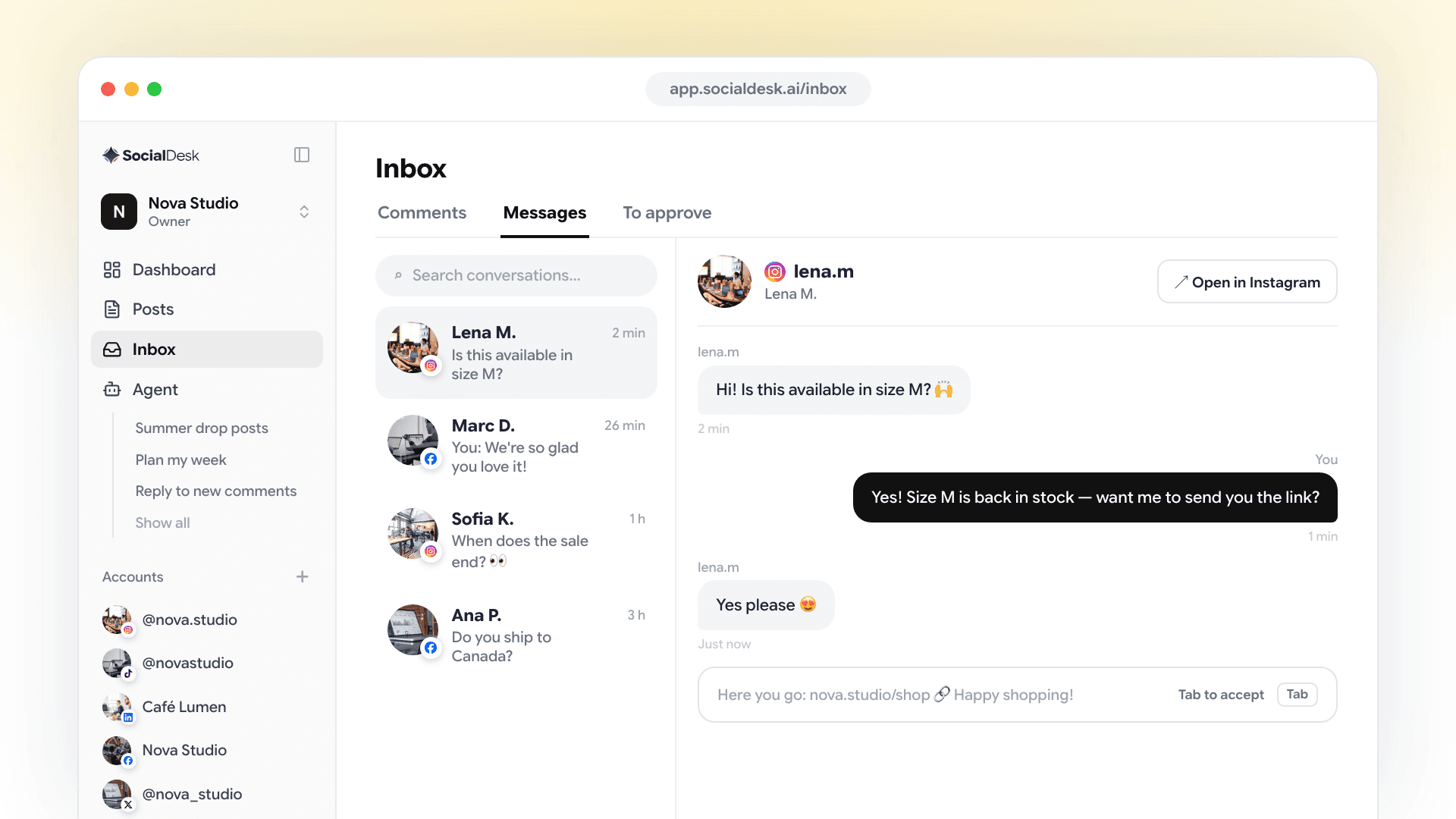
Answer replies and DMs from one inbox
Replies to your tweets and your direct messages sit next to your other networks, so nothing gets lost.
Handle replies to your tweets
Answer a reply, like it, repost it or delete your own, without opening X.
Read and send direct messages
Read your X conversations and answer them from SocialDesk.
One inbox for every network
Filter by network to see only X, or keep everything together with Instagram, Facebook, LinkedIn and Threads.

More tools for your X account
Everything around the tweet: writing, planning and posting everywhere at once.
AI tweets
Draft short, punchy tweets with a hashtag or two in seconds, then edit them so they sound like you.
Calendar with drag & drop
See your week or month, drag a tweet to a new day, and edit anything before it goes out.
Recurring posts
Repeat evergreen tweets on a schedule, like a weekly tip or a monthly reminder.
Post to several networks at once
Send the same update to X, LinkedIn, Threads and your other accounts from one composer.
Your X history, imported
Your latest tweets are imported when you connect, and new ones you post on X show up in your calendar too.
Several accounts & a team
Connect several X accounts, group them in spaces and invite your teammates.
How to connect your X account


Click Connect account
In SocialDesk, click Connect account and choose X.
Log in and authorize
Sign in to X and allow SocialDesk to post, like and repost replies, and read and send DMs. Nothing else is asked for.
You're ready
Your account appears in SocialDesk with its recent tweets, ready to schedule.
Twitter scheduling FAQ
Can I schedule tweets to post automatically?
Yes. Write your tweet, pick a date and time, and SocialDesk posts it on X through the official X API. You don't need to be online.
Can I attach media to scheduled tweets?
Yes. Add up to four photos or GIFs, or a video, to any tweet. Every tweet needs some text as well.
How long can a tweet be?
Up to 280 characters. SocialDesk counts as you type and stops a longer tweet before it's posted.
Can I reply to replies and DMs?
Yes. Replies to your tweets and your direct messages are in the inbox, where you can answer, like or repost replies. AI auto-replies aren't available for X.
Can I manage multiple X accounts?
Yes. Connect several X accounts and group them in separate spaces, each with its own calendar.
Is there a free trial?
Yes. Every plan starts with a 7-day free trial, no credit card required.
Explore more
Run your X presence on autopilot with SocialDesk
Schedule your tweets and answer every reply and DM from one place. Try it free for 7 days, no card required.
Start free trial